
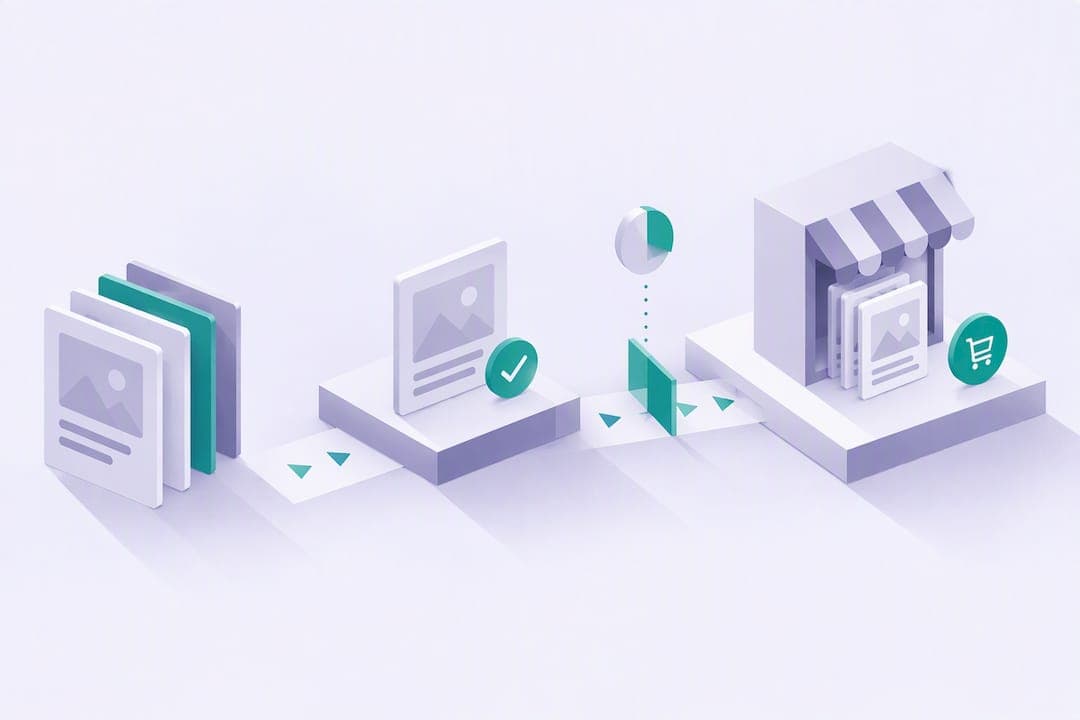
Yes, you can sell templates online, and the fastest path is to pick one niche, build a single polished template, and decide whether a marketplace or your own checkout fits your goals before you list it. Creation takes a weekend; marketing takes longer. Price with platform and payment fees already built in, not added as an afterthought.
TL;DR:
- Compare marketplace prices and sales signals, then test demand with a landing page or waitlist before building to separate opportunity from weak demand.
- Price by complexity and license: simple templates run $7 to $27, complex systems $27 to $97, and premium commercial offers start at $97.
- Marketplaces provide discovery but limit customer data; compare them with direct checkout for two to three weeks, factoring Notion Marketplace’s 8% fee plus $0.40.
- For Canva templates using Pro assets, deliver a shareable Canva link rather than a standalone download, and include clear setup instructions and preview images.
- Treat launch as the start of marketing: collect emails with a free sample, send two or three launch emails, and keep promoting after release.
Table of Contents
- Pick a Niche and Validate Demand Before You Build
- Tools, File Formats, and What Buyers Expect to Receive
- How to Design and Package a Sellable Template
- Packaging, Pricing, and Delivery Models That Make Sense
- Where to Sell: Marketplace vs Your Own Site
- Launch and Marketing Tactics That Actually Convert Buyers
- How to Scale: Bundles, Memberships, and Metrics to Track
- Why an Integrated Mini-Site Simplifies Selling Templates
- Strategies for Protecting Your Template's Intellectual Property
- Best Practices for Customer Support and Handling Feedback
- Methods for Encouraging Repeat Purchases and Loyalty
- Setting Up an Online Store Specifically for Templates
- Legal Considerations Before You Sell Digital Products
- What Actually Moves the Needle Here
- Try Constants When You're Ready to Sell Templates
- FAQ
- Sources
Pick a Niche and Validate Demand Before You Build
Before you open a design tool, nail down who the template serves and what recurring problem it solves. A good niche has three traits: a specific job to be done ("plan a freelance content calendar," not "get organized"), an identifiable audience that searches for that solution, and a need that repeats often enough to justify paying for a shortcut.
Once you have a candidate niche, test it cheaply before investing real build time. You're looking for signals that people will actually pay, not just browse.
- Search marketplaces like Notion's template gallery or Etsy for similar listings and note how many exist and what they charge.
- Build a one-page landing site describing the template and collect email signups or pre-orders before you finish the product.
- Check basic keyword demand in a free tool like Google Trends or Ubersuggest to confirm people are actively searching for the format you're planning.
- Post a rough preview in a relevant community or forum and gauge reactions and questions.
Watch for a few concrete metrics: how many people land on your pre-sell page and actually sign up, how many existing listings in your niche have reviews or sales counts, and what price range similar products already command. If five other sellers charge $19 to $37 for something close to your idea, that's your pricing anchor. If nobody's selling anything like it, that's either a gap worth filling or a sign that demand doesn't exist, and a 20-person waitlist will tell you which one it is faster than months of guessing.
Tools, File Formats, and What Buyers Expect to Receive
The format you choose depends on your niche and your buyer's comfort level with the underlying app. Editable design files (Canva, Figma) suit visually-driven products like social media kits and resumes. Spreadsheet templates (Google Sheets, Excel) fit budgeting, tracking, and operations use cases. Productivity app templates (Notion, ClickUp) work well for planning systems, dashboards, and workflows that buyers want to customize inside the app itself.
Whatever format you pick, buyers expect a complete package, not just the raw file.
- A master editable file with placeholder content already filled in so the structure is obvious at a glance.
- Written duplicate or install instructions that a non-technical buyer can follow in under five minutes.
- Screenshots or a short GIF showing the template in use.
- A brief video walkthrough, even a 60-second screen recording, for anything with more than a few moving parts.
- A one-page user guide covering common customization questions.
Font and asset licensing trips up more new sellers than any other technical detail. Stick to web-safe or open-license fonts, or include direct links to where buyers can download the same fonts themselves. If you're building in Canva, pay attention to what you can and cannot redistribute: Canva's own guidance on commercial use makes clear that Pro content can't be resold as a standalone downloadable file. Templates built with Pro elements have to stay inside Canva and be shared as links that bring buyers back into the app rather than as exported files they own outright.
Pro Tip: Test your own duplicate link from a separate, logged-out browser before you publish. It's the single fastest way to catch broken permissions or missing assets.
How to Design and Package a Sellable Template
Building something buyers will actually use comes down to a repeatable sequence, not inspiration.
- Map the outcome first. Write down exactly what the buyer should be able to do five minutes after opening your template, then sketch a skeleton that gets them there with the fewest steps possible.
- Build with placeholder content, not blank fields. Fill in example tasks, sample budget numbers, or dummy client names so the structure is self-evident. Nobody wants to stare at an empty grid and guess your intent.
- Label everything. Section headers, color-coded tags, and short inline notes do more to reduce support questions than any amount of written documentation.
- Create preview assets. Six to eight screenshots covering different sections, plus one short demo video or GIF, give buyers enough to judge value before they purchase.
- Write setup instructions buyers can skim. A numbered list beats a paragraph here: "1. Click Duplicate. 2. Rename your copy. 3. Update the dates in row 4."
- Add a short FAQ and troubleshooting section to the listing itself. Answer the two or three questions you expect most ("Does this work on mobile?" "Can I change the colors?") directly in the product description.
That last step matters more than it looks. A listing that preempts common confusion cuts down on refund requests and the back-and-forth that eats into the time you saved by selling a digital product in the first place.
Pro Tip: Record your demo video on the first full day you finish the template, while you still remember every quirk a new user might hit.

Packaging, Pricing, and Delivery Models That Make Sense

Template pricing tends to fall into three bands, and where your product lands depends on complexity and the license you're offering. Simple, single-use templates (a resume, a social caption bank) typically sell for $7 to $27. Mid-complexity systems with multiple linked sections (a full Notion operating system, a multi-tab financial tracker) often land between $27 and $97. Premium, highly specialized builds, especially ones bundled with commercial-use rights or done-for-you customization, can reasonably command $97 and up.
License terms should scale with price. A single-user personal license covers the entry tier. A commercial or team license, which allows the buyer to use the template across a business or resell derivative work under their own brand, justifies a meaningfully higher price point and should be sold as a distinct, clearly labeled tier rather than buried in the fine print.
- Entry tier: single template, personal use, $7 to $27.
- Mid tier: bundle of related templates or a more complex system, $27 to $97.
- Premium tier: full system plus commercial license or light customization, $97 and above.
Net revenue depends heavily on where you sell. If you list through a marketplace like Notion's, you're working with an 8% fee plus a flat $0.40 per transaction, with payouts held briefly before release. On a $37 sale, that's roughly $2.56 in marketplace fees, leaving about $34.44 before any payment processor cut. Selling through your own checkout changes the math differently depending on your platform's fee structure, so price with your actual channel's cut in mind rather than assuming the sticker price is what lands in your account.
Where to Sell: Marketplace vs Your Own Site
The channel decision comes down to five factors: discoverability, fees, control of customer data, how fast you can get listed, and how often you get paid.
Marketplaces hand you an existing audience actively searching for templates, which matters most when you have zero traffic of your own. Notion's Marketplace requires Stripe onboarding for direct sales and documents specific payout cadence and country eligibility rules, so check those constraints before you build your listing around it. The tradeoff is that you rarely get the buyer's email address, which limits your ability to sell them anything else later.
Your own checkout flips that tradeoff. You keep the customer relationship, which compounds in value every time you launch something new, but you're responsible for your own traffic, delivery, refund handling, and conversion tracking.
- Marketplace: faster discoverability, less control over customer data, fees deducted automatically, payout on a fixed schedule.
- Own site: full customer data ownership, you handle traffic generation, you control refund policy and delivery directly.
- Hybrid test: list the same template on a marketplace and on a simple landing page with direct checkout, then compare conversion rate and net revenue per sale after two to three weeks.
Running both at once for a short stretch is the cheapest way to learn which channel actually fits your audience, rather than guessing based on what worked for someone else's product in a different niche.
Launch and Marketing Tactics That Actually Convert Buyers
A template doesn't sell itself once it's live. The sellers who see consistent traffic treat launch day as the start of a short, deliberate push, not a single announcement.
- Build a lead magnet tied to the paid template before launch. A free mini version or a checklist pulled from the full product gives you a reason to collect emails ahead of time.
- Write listing copy around the outcome, not the features. "Plan your week in 10 minutes" beats "22-section Notion dashboard" as a headline, even though both describe the same product.
- Choose tags and keywords that match how buyers actually search, usually closer to "freelance invoice template" than a branded or clever product name.
- Mix organic content, email, and a small paid push. Share build-in-progress posts, send two or three emails to your waitlist in the days around launch, and consider a modest paid test, even $50 to $100, aimed at a lookalike audience on whichever platform your buyers already use.
- Reach out to two or three micro-influencers in your niche who might genuinely use the template, rather than paying for broad reach you can't target.
A simple 30-day structure: week one, pre-launch content and waitlist building; week two, launch and direct outreach to your list; weeks three and four, organic content plus a small paid test, split roughly 70% toward content creation time and 30% toward paid promotion if you're testing ads at all.
How to Scale: Bundles, Memberships, and Metrics to Track
Once a single template sells consistently, the fastest growth lever is raising average order value rather than chasing new traffic. Bundle complementary templates into a "starter kit," or build an onboarding package that pairs your best seller with a quick-start guide and a bonus template.
Templates also work well as lead magnets into something bigger. A free or low-cost planning template can funnel buyers toward a paid course, 1:1 coaching, or a paid community where you charge recurring access instead of a one-time fee.
- Bundle two to three related templates at a 20 to 30 percent discount versus buying separately.
- Offer a "pro" upsell at checkout: a commercial license, a done-for-you setup call, or a bonus template.
- Use your best template as a free lead magnet feeding a higher-ticket offer like coaching or a paid community.
Track conversion rate on your listing page, refund rate, and average order value weekly, not just total sales. Small experiments move these numbers more than big redesigns: swap your lead screenshot, test two price points over separate weeks, or send a short email flow to past buyers offering a related bundle.
Pro Tip: Run one variable at a time. Changing price and preview images in the same week makes it impossible to tell which one moved the needle.
Why an Integrated Mini-Site Simplifies Selling Templates
Running a template business across five disconnected tools, a file host, a checkout page, an email list, and a separate analytics dashboard, adds friction that slows down everything from launch to support. Centralizing product pages, checkout, memberships, and performance data in one place removes a layer of busywork that has nothing to do with making a good template.
More than 1,200 people have built sustainable businesses this way on Constants, turning templates, courses, and coaching into a single organized hub rather than a patchwork of separate tools.
If you're consolidating an existing setup, the move is straightforward:
- Create a landing page for your template with a clear outcome-focused headline.
- Upload your template files and preview assets directly to the product page.
- Set your price and license tier, including any commercial-use option.
- Connect payout details and turn on analytics to track conversion from day one.
As someone who's watched plenty of creators juggle three or four tools just to sell one digital file, the appeal of a single dashboard for sales, memberships, and analytics is less about any single feature and more about how much mental overhead it removes.
Strategies for Protecting Your Template's Intellectual Property
Digital templates are easy to duplicate, which means some protection is worth building in from the start, even though no method is airtight. Watermark your preview images and demo videos so screenshots can't be lifted and reused as someone else's listing. Keep your original source files private and only distribute the final, buyer-facing version.
License terms do real work here. A clear single-user or commercial license, stated plainly in your listing and included as a text file in the download, sets expectations about what a buyer can and cannot do with your work, including whether they can resell it or adapt it for clients.
Platform-specific rules matter too. If you're building in Canva, remember that Pro content can't be redistributed as a standalone file; Canva's content licensing guidance requires templates built with Pro assets to stay inside Canva as shareable links rather than exported downloads. That constraint actually works in your favor as a protection measure: buyers access your template through a link you control, rather than a file that can circulate freely once it's downloaded.
For higher-value templates, consider access-locking features where the platform you sell through can restrict duplication until after purchase, which several marketplace tools now support directly.
Best Practices for Customer Support and Handling Feedback
Most support requests for templates come down to confusion, not actual defects, so the fastest fix is usually better upfront documentation rather than reactive troubleshooting. Respond to buyer questions within 24 hours where possible. A fast reply on a $17 product does more for your reputation than the product itself in many cases.
Keep a running list of the questions you get more than once and fold the answers directly into your listing's FAQ section or your setup guide. If three buyers in a row ask how to change the color scheme, that's a sign your instructions skipped a step, not that buyers are asking something unreasonable.
Treat negative feedback as a product note rather than a personal critique. A buyer who says the instructions were confusing is handing you a free usability test. Update the template or the guide, and consider following up with that buyer once you've fixed it. That kind of follow-through turns a one-star moment into a buyer who tells other people the issue got resolved.
Set a plain refund policy before you launch, state it in your listing, and honor it without friction when a request falls within those terms. Buyers remember an easy refund process more than they remember whatever minor issue caused it.
Methods for Encouraging Repeat Purchases and Loyalty
Repeat buyers are cheaper to sell to than new ones, so the templates that build real income usually come from sellers who give past buyers a reason to come back. Email is the simplest channel for this: follow up a week after purchase to ask how setup went, then mention a related template or bundle a month or two later.
Offer existing buyers a discount on future purchases, even a flat 15 to 20 percent off, sent directly rather than posted publicly. It costs you nothing extra and turns a one-time sale into an ongoing relationship.
Build a small ecosystem of related templates rather than a single standalone product. A buyer who liked your budgeting spreadsheet is a strong candidate for a complementary savings tracker or a debt payoff planner. Each new release becomes an email you can send to everyone who already trusts your work.
Consider a membership or community option for your most engaged buyers, where ongoing access to new templates and direct support replaces one-off purchases with recurring revenue. This works especially well once you have more than three or four related templates to offer as part of an ongoing library.
Setting Up an Online Store Specifically for Templates
Getting a template store running doesn't require a long technical setup, but the order of operations matters.
Start with your product page structure: one clear page per template, each with its own preview images, pricing, and license terms, rather than lumping everything onto a single generic shop page. Buyers decide quickly, and a cluttered single page slows that decision down.
Next, connect a payment processor. Whether you're using a marketplace's built-in system or your own checkout, you'll need to complete identity verification, usually through Stripe, before payouts activate. Build this step in early since verification can take a few days depending on your location.
Set delivery to be instant and automatic wherever possible: a direct download link or app-based access immediately after purchase removes the single biggest source of buyer frustration with digital products.
Finally, turn on basic analytics before you launch, not after. Knowing which listing page gets traffic but doesn't convert tells you exactly where to focus your next edit, and that data is far more useful collected from day one than reconstructed after the fact.
Legal Considerations Before You Sell Digital Products
A short terms of use document, even one page, protects both you and your buyers by stating plainly what they're allowed to do with the template: personal use only, or commercial use included, and whether resale or redistribution is permitted. Attach this as a text file in the download and reference it in your listing description.
Refund policy deserves the same clarity. Digital products are harder to "return" in any physical sense, so most sellers state a short window, commonly 7 to 14 days, during which a buyer can request a refund if the template doesn't work as described, while making clear that satisfaction with design preference alone isn't typically covered. Whatever policy you choose, state it once and apply it consistently.
If you're collecting payment information or email addresses, a basic privacy statement covering what you collect and how it's used keeps you aligned with buyer expectations, even for a small operation. Tax obligations vary significantly by country and by where your buyers are located, so check the rules that apply to your specific situation rather than assuming a single standard applies everywhere you sell.
None of this needs a lawyer for a first template, but writing these terms down before your first sale saves a confusing conversation later.
What Actually Moves the Needle Here
The template business is oversold as passive income and undersold as a marketing exercise. Most people who fail at this don't fail because their template is bad. They fail because they build for three weeks and market for three days, then conclude the niche doesn't work.
The conventional advice to "just pick something you're good at" skips the part that actually determines whether you make money: validating that someone will pay before you spend a weekend in Canva or Notion. A $20 ad test or a 48-hour pre-sell page tells you more than any amount of confidence in your own idea.
If you take one thing from this guide, let it be sequencing. Validate first, build second, and treat your listing page and preview assets with the same care you put into the template itself. The product rarely sells itself. The page around it does.
— Jake
Try Constants When You're Ready to Sell Templates
An integrated mini-site lets us bring product pages, checkout, memberships, and analytics together in one place instead of stitching together separate tools. Premium runs $29.99 a month, and every plan, including the free Essentials tier, carries a flat 6% platform fee on sales, with Stripe processing and tax handled separately. That's lower than the free-plan fees at Linktree (12%) and Beacons (9%).

For your first 24 hours: create your landing page, upload your template and preview assets, set your price and license tier, and turn on analytics before you share the link. Compare plans and fees on our pricing page and start with the free tier if you want to test the setup before upgrading.
FAQ
Can you make money by selling templates?
Yes, templates are one of the more accessible digital products to sell because they're quick to build and don't require ongoing fulfillment once they're finished. Income depends heavily on marketing effort and niche demand, not just the template's quality.
What is the best platform to sell templates?
There's no single best platform; the right choice depends on whether you want marketplace discoverability or control over your customer data and checkout. Notion's own Marketplace suits Notion-specific templates and handles payments through Stripe, while an integrated mini-site suits sellers who want their own branded storefront alongside memberships and analytics.
What is the best website to sell templates on?
The best option depends on your template format and goals: Notion's Marketplace fits Notion templates directly, general marketplaces like Etsy suit design files, and a self-hosted storefront fits sellers who want to own the customer relationship long-term. Testing a marketplace listing alongside your own landing page for a few weeks is the clearest way to see which converts better for your specific product.
How much money can you make selling templates?
Earnings vary widely based on price point, niche, and how much marketing you put behind the launch, with entry-level templates often priced between $7 and $27 and more complex systems reaching $97 or higher. There's no fixed income figure to expect; it depends on sales volume as much as price.
Sources
- Using Canva for Commercial Purposes – Canva Creator Support
- Sell templates on Notion Marketplace | Notion Help – Notion Help Center