
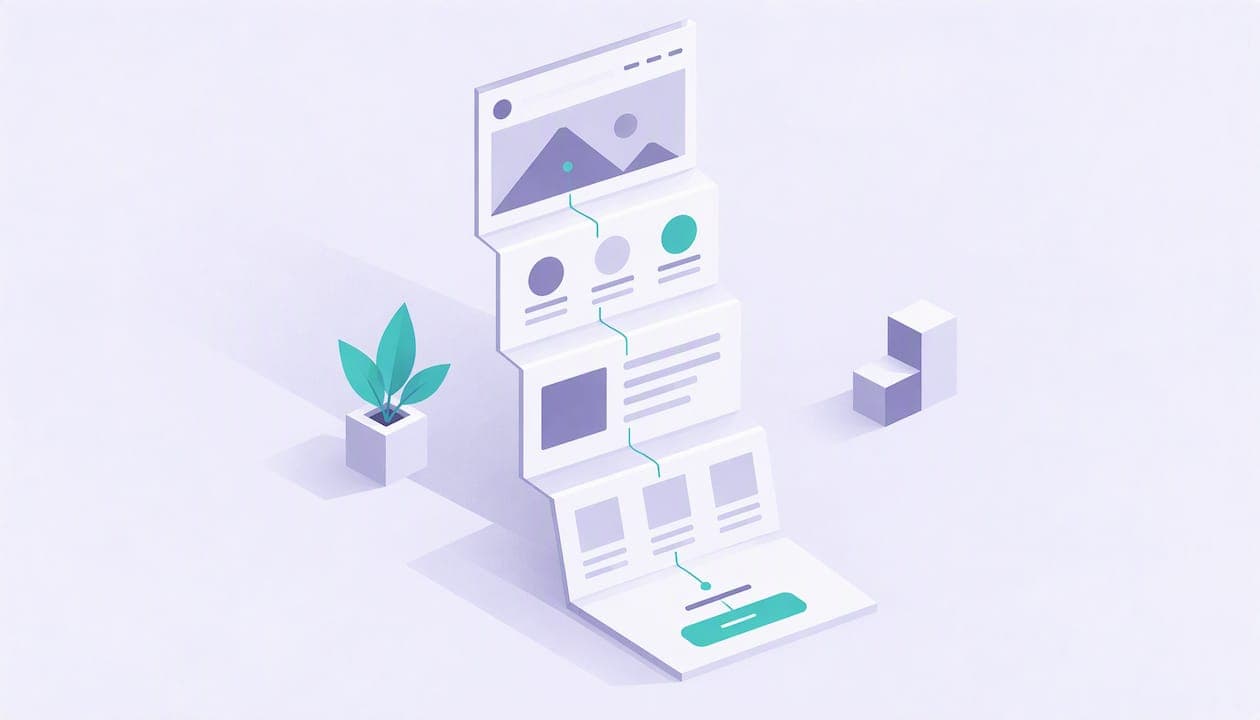
A one-page website puts everything a visitor needs on a single scrollable page: who you are, what you offer, proof that it works and a way to act. The best examples share a layout, not a look. Below you will find the main types of one-page sites (portfolios, product pages, courses, coach and service pages), what each does well, and how to adapt the pattern if you sell your own skills or content.
TL;DR
- A one-page site works best when it serves one central goal, such as booking a call, buying a product or joining a list.
- Strong examples open with a clear hero, move through short sections in a logical order and repeat one call to action.
- Portfolios lean on visuals, course pages lean on modules and pricing, and service pages lean on proof and a booking step.
- If you need to take payments, bookings or memberships, a page that includes a shop and calendar saves you stitching tools together.
- Keep it fast: compress images, limit scripts and test on a phone before you publish.
Table of Contents
- What a one-page website looks like
- One-page website examples by type
- What makes a one-page website work
- One-page website ideas for creators who sell
- One-page website vs. multi-page site
- How to build a one-page website that sells
- Build your own page with Constants
- Speed, mobile and image tips for one-page sites
- What does a one-page website cost?
- FAQ
- Sources
What a one-page website looks like
A one-page website delivers its essential content, such as about, services, portfolio and contact, on one continuous page instead of spreading it across linked pages, as WordPress.com's guide describes it. Visitors scroll through sections in a set order: an introduction, what you do, evidence, and a contact or purchase step.
Think of it as a conversation with a fixed script. The hero says who you help and what happens next. The next section explains the offer. Then come proof and details. The last section asks for the action. Menu items, if you have any, are anchor links that jump to each section instead of loading a new page.
A design analysis from A1 Gallery makes a useful point: the strongest one-page sites use the format to tell a linear story, while the weakest cram too much into one scroll. That is the test to apply to every example below.
One-page website examples by type
Curated galleries such as One Page Love's personal site collection list hundreds of designs, and browsing them is the fastest way to build a taste. To save you the hours, here are the patterns that repeat, with named examples where the research supports them.
Portfolio one-page websites
Portfolio pages put the work first. Portrayalist, a photography site, uses white space, clean fonts and a minimalist design so the images carry the page. Another gallery entry, Paul Lapkin's portfolio, goes the other way, with bold typography and big imagery in a full-width layout.
The lesson: pick one visual voice and hold it. Quiet pages suit photographers and writers. Loud pages suit designers who want to show range. In both cases the contact step sits at the bottom, and nothing competes with the work.
Product and brand one-page websites
Product pages sell through imagery and benefits. The same HubSpot roundup points to Swappa Bottle, which uses high-quality images and video to build an immersive experience around reusable stainless-steel milk bottles. Each scroll reveals one more reason to buy, and the buy button never goes far.
If you sell a single digital product, this is the pattern to borrow: one hero image or mockup, three to five benefits, a preview of what is inside, and a checkout button.
Course and program one-page websites
The same HubSpot article describes Video Creator Course as a one-page site that lays out course modules and pricing plans clearly, then guides visitors to sign up or buy. That is the template for any course, cohort or challenge: outcome, curriculum, price, sign-up.

A reader deciding on a course wants three answers fast: what will I be able to do, what is included, and what does it cost. If your page answers those in that order, you are most of the way there.
Coach and freelancer one-page websites
Service pages work differently, because the visitor is buying you. A layout that works well for coaches, consultants and freelancers runs like this:
- A hero naming who you help and the result they get.
- A short about section with a photo and your credentials.
- Two or three offers, each with a price or a clear next step.
- Proof: results you can document, client feedback you have permission to share, or work samples.
- A booking calendar or contact form.
Here is a hypothetical example. A strength coach, call her Dana, publishes a page with a hero line about training for busy parents. Below it, three offers sit side by side: a PDF training plan, a one-hour technique session and a monthly membership with weekly check-ins. Each has its own button, and the page ends with the calendar. Dana is invented, but the structure is one you can reuse in any service niche.
What makes a one-page website work
Across the examples, the same handful of choices separate clear pages from cluttered ones.
A hero that earns the scroll
The top of the page has seconds to explain what you do and who it is for. Framer's design roundup stresses a compelling value proposition and clear visuals in this spot. In plain terms: one sentence about the outcome, one supporting line, one button. Skip the slogan that could belong to any business.
One goal per page
A one-page site works best when it focuses on a central idea. Pick the single action you want most. For Dana it is booking the technique session, and everything else supports it. Pages that try to sell five things equally tend to sell none.
Sections that answer real questions
Every section should answer something a visitor would actually wonder. A personal-blog analysis of single-page UX frames this as a logical journey that reduces uncertainty, rather than a stack of decorative blocks. If a section does not answer a question, cut it.
A call to action you repeat
On a long scroll, the visitor may be ready to act halfway down. Put the same button in the hero, after your offers and at the end. Keep the wording consistent so the action never changes.
Visual separation
Use background color shifts, spacing or dividers so each section reads as its own step. This helps skimmers find what they want and makes the narrative feel intentional.
One-page website ideas for creators who sell
Most gallery examples are built to look good. If you earn money from your page, the job is different: it has to take a payment, a booking or a sign-up without sending anyone away. Here are ideas that fit creators and small sellers.
The digital product page
Sell a template, guide, preset pack or workbook from one scroll. Show a preview, list what is included, state the price and put the buy button right there. If you are still testing demand, a presale lets buyers commit before you finish, and we cover that in our guide to selling digital products from your bio link.
The bookings page
A consultant or coach can put a short pitch, a few session types and a calendar on one page. The visitor picks a slot and pays in the same flow, so you avoid the email back-and-forth about availability.
The event page
For a workshop, webinar or meetup, the page needs the date and time, who it is for, what attendees get and a ticket button. Because events end, treat the page as a template you update each time rather than a permanent fixture.
The membership page
A membership page explains what members get each month, shows the price and offers a join button. Recurring revenue also means failed cards, so it helps to plan for that. Our piece on selling memberships online covers recovering failed payments.
The community front door
If you run a community, the one-page site can double as its entry point: a short description, a preview of what happens inside and a join button. Examples on Constants include a retail community and a sports community, which show how a community page can sit alongside a creator's other offers.
The everything page
Some creators want all of the above on one address: a short intro, a shop, a calendar, upcoming events and a membership. That is where a link-in-bio style page does better than a classic single-page website, because each block is a purchasable item rather than a decoration. Our walkthrough of personal brand website examples shows what that can look like in practice.
One-page website vs. multi-page site
One page is not always the right call. A1 Gallery's research notes that the format is less effective for sites that need complex navigation, several distinct audience paths or ranking across many keyword groups. If you serve three very different audiences, or you publish dozens of articles, a multi-page site is a better fit.
For most solo creators, coaches and freelancers the situation is simpler: one person, a handful of offers, one main audience. A single page keeps the path short. If you are deciding between a landing page and a fuller website, our comparison of a landing page vs. a website for creators walks through when to sell now and when to build out later.

How to build a one-page website that sells
This is a practical order of work. It takes an afternoon if you have your copy ready.
- Write the one-sentence promise. Who do you help, and with what result?
- Choose the single action you want. Book a call, buy a product or join a membership.
- List the questions a visitor has before taking that action, and give each one a short section.
- Add proof you can stand behind, such as work samples, real feedback with permission, or a clear description of your process.
- Set your prices and connect payments, so the page can take money instead of just collecting emails.
- Place your button in at least three spots, with the same wording each time.
- Preview on a phone, then on a desktop, and fix anything that wraps badly.
- Publish, share the link and check which sections people reach.
That last step matters. Analytics tell you whether visitors scroll past the offers or leave at the hero, so you improve the page with evidence rather than hunches.
Build your own page with Constants
If you want the structure above without wiring up separate tools, Constants gives you a page at constants.com/yourname that combines a link-in-bio landing page with a shop for digital products, calendar-based 1:1 bookings, event tickets and recurring memberships. It also includes a community, analytics and a notes workspace, so your offers, audience and numbers live in one place.
The free plan can sell from day one, and Premium is $29.99 a month. Constants charges a 6% platform fee on one-time sales (digital products, bookings and event tickets) and 10% on memberships on every plan, and Stripe card processing is separate. You can see both plans on the pricing page, or start from the Constants home page and claim your address.
A tool that handles checkout and bookings is not a replacement for a custom design. If you are a photographer or designer whose page is the portfolio itself, with motion, custom type and full control, a design-focused builder is the better fit. If your page exists to sell and book, a single page with those functions built in is the shorter path.
Speed, mobile and image tips for one-page sites
A long page can get heavy fast, because every image and script loads on the same address. Framer's guide points to lazy loading and image compression as vital as content grows, and the personal-blog analysis above says the same about trimming unnecessary scripts.
Three habits keep you out of trouble. Compress every image before upload. Use fewer, larger sections instead of many tiny animated ones. Test on a real phone over a normal mobile connection, not just a resized desktop window. If you want a deeper walkthrough, this guide on how to optimize images for website performance covers the technical side.
What does a one-page website cost?
Costs vary widely with how you build it. A page on a creator platform can start free, as with Constants, where the Essentials plan costs nothing per month and Premium is $29.99 a month, plus the platform fees and Stripe processing noted above. A custom design from a freelancer or agency is a different category of spend, and quotes depend on the scope, so ask for a written estimate that lists what is included.
Whatever you choose, add up the full cost of selling: subscription, any per-sale fee and payment processing. Our post on pricing webinars after fees shows how to do that math before you set a price.
FAQ
What does a one-page website look like?
It is a single scrolling page with sections stacked in order: a hero, a short explanation of what you offer, proof, and a final call to action or contact form. Any menu links jump to sections on the same page rather than opening new ones.
Are one-page websites good for business?
They suit businesses with one main audience and a focused offer, such as a coach, freelancer or creator selling a few products. They are less suited to sites with several audiences, deep navigation or a large content library.
Can I sell things from a one-page website?
Yes, as long as the page connects to checkout, a booking calendar or a membership system. Without that, a visitor has to leave the page to pay, which loses some of them. Platforms like Constants build the shop, bookings, tickets and memberships into the page itself.
How long should a one-page website be?
Long enough to answer the questions a buyer has, and no longer. Most service and product pages need five to eight sections. If a section does not move the visitor toward your one goal, remove it.
Sources
- Personal Website Design Inspiration, One Page Love
- Paul Lapkin, One Page Love
- 11 Examples of One-Page Websites to Inspire You, HubSpot
- One page website design: 62 single page examples, A1 Gallery
- Single-page website: SEO, UX and example, Guillaume Bullet
- How to Optimize Images for Better Website Performance