
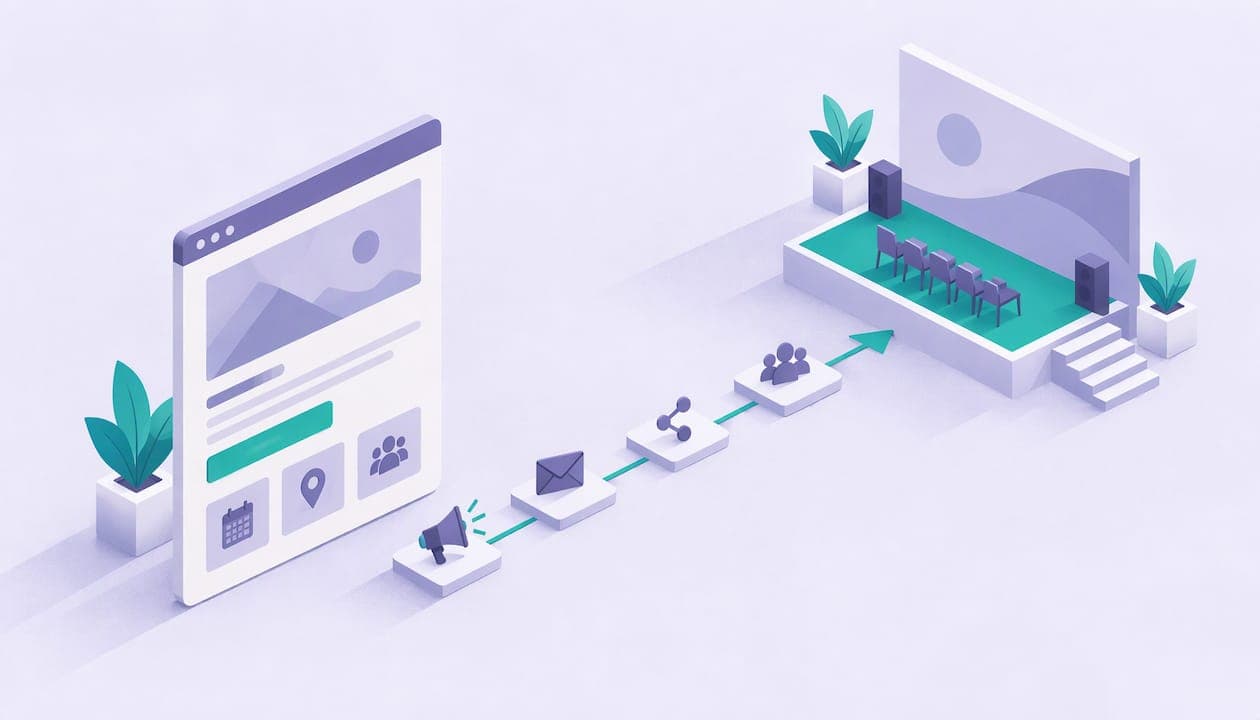
Online event marketing is the work of getting the right people to register, show up and take a next step, before, during and after a live session. For a creator or coach, that comes down to five things: one clear goal, a landing page with a single sign-up button, a promotion timeline that starts weeks ahead, reminders that fit how people actually behave, and a follow-up that turns attendees into customers. This guide walks through each one in order, with a hypothetical example you can copy.
TL;DR
- Pick one result you want from the event, then design the promise, the page and the follow-up backward from it.
- Start promoting 4 to 12 weeks out, depending on event size, and expect the biggest registration push in the final two to three weeks.
- Send an invitation track to people who have not registered and a separate reminder track to people who have.
- Send a thank-you within 24 to 48 hours and reuse the recording as content.
- Track registrations, attendance and engagement by channel, not just a headcount.
Table of Contents
- Online event marketing starts with one goal
- Build an event landing page that converts
- Online event marketing timeline: what to do and when
- Channels that bring registrations
- Webinar marketing strategies: before, during and after
- Run your online events from one page
- How to measure online event marketing results
- Online event marketing mistakes to avoid
- FAQ
- Sources
Online event marketing starts with one goal
Most of what decides an online event happens before anyone logs in. TIMEWELL's editorial team argues that the outcome is largely set in planning and names the most common failure: cramming several goals into one event. Their fix is simple. Write one sentence that states the single result you want most, then work backward.
For a coach, that sentence might be "fill five spots in my 8-week program" or "sell 40 tickets to a paid workshop." For a creator with a membership, it might be "convert attendees into recurring members." Each goal leads to a different event, a different page and a different follow-up, which is why you pick before you promote.
Then answer a few basics. Zoom's virtual event guide says to identify your target audience, the value the event offers, your objectives and the experience you want attendees to have. If you cannot write one sentence each for the audience, the promise, the format, the offer and the next step, pause and tighten the idea. A vague event is hard to market no matter how many posts you publish.
A hypothetical example
Say a strength coach, whom we will call Dana (a made-up example), wants to sell a 6-week program. Her goal sentence: "Get 30 people to a free 45-minute class and enroll 6 of them." Her audience is busy beginners over 35. Her promise is a 45-minute class that teaches a simple weekly training split. Her offer at the end is the program. Her next step is a booking link or checkout. Everything below uses that frame.
If you need help choosing between formats, our guide on webinar vs workshop covers when a lecture-style session fits and when a hands-on one does.
Build an event landing page that converts
Your event page is the one place every channel points to, so it carries most of the marketing load. The US Chamber of Commerce's livestreaming guide recommends promoting across social media, email and your website, and creating a landing page or ticketing system so you can track interest.
A good event page answers the questions a stranger has in about ten seconds: what is this, when is it, who is it for, what do I get, and how do I sign up. In practice that means:
- A headline that states the promise in plain words.
- Date, start time and time zone, so nobody does the math.
- A short agenda or list of what you will cover.
- A bio that tells people why you are the right host.
- A few FAQs, such as whether there is a replay and how long it runs.
- One sign-up or ticket button, repeated at the bottom of the page.
Keep a single call to action. Every extra link gives people a reason to leave. If you want a deeper checklist, we wrote one on what to include in a webinar landing page.
On Constants, your page lives at constants.com/yourname, and event tickets, 1:1 bookings, digital products and memberships sit on the same page. That means the person who registers for your free class can see your program, your booking calendar and your membership without a second site. Paid events work the same way: you set a ticket price, and fees apply as described on the pricing page below.
Online event marketing timeline: what to do and when
Timing is where most small events go wrong. Here is a schedule built from published guidance, which you can shrink for a small session.
8 to 12 weeks out: for bigger events
Asana's event marketing template suggests finalizing your messaging and starting email outreach to early-bird audiences 8 to 12 weeks before the event. That suits a multi-session summit or a high-priced workshop. A one-hour free class does not need that much runway, but the principle holds: tell your warmest people first.
4 to 6 weeks out: the standard window
TechTarget's guide to running virtual events recommends starting promotional emails four to six weeks ahead and starting paid social or display ads about four weeks ahead. For most creators and coaches, four weeks is a comfortable plan: announce, then build interest with a teaser, a speaker or host story and a clear agenda.
The Event Planner Expo offers a three-phase social structure that fits a longer campaign. In its social media playbook, Awareness runs 90 to 60 days out with three to four posts a week on your main platform, Engagement runs 60 to 30 days out using early-bird pricing and social proof, and Conversion runs from 30 days to event day, closing the remaining registrations.

The last two to three weeks
The US Chamber's guide says registrations tend to spike two to three weeks before the event, so that is the window to double down on outreach. Do not read a slow first month as failure. Plan your strongest content, your personal invitations and your early-bird deadline to land in this stretch.
Event day and the day after
Send a reminder the morning of the event and another shortly before you start. Then follow up within a day or two. We cover that below.
A sample 4-week plan for Dana
Week 4: announce the class to her email list and pin the event page in her bio link. Week 3: post a short clip explaining the one mistake the class fixes. Week 2: ask two coaching friends with similar audiences to share the page, and send a second email with the agenda. Week 1: daily countdown posts, a reminder email two days before, and a personal message to people who clicked but did not register. This is a hypothetical plan, not a promise of results, but it shows how the pieces fit.
Channels that bring registrations
You do not need every channel. You need two or three you can run consistently.
Email is the workhorse because you own the list. A reader of your newsletter already trusts you, so the registration ask is easy. Mailchimp's event marketing overview frames event marketing as three stages: planning and promotion, execution, and follow-up and evaluation. Email serves all three.
Two habits help. First, keep two tracks: an invitation track for people who have not registered, and a reminder track for people who have. Mixing them means registrants get pitched on something they already bought, and non-registrants never get a clear invitation. Second, send at a time that suits your audience. Borish Worldwide's virtual event playbook recommends mapping communications to time zones and sending during local working hours, which matters if your audience is spread across the US or the world.
Social media
Post as a person, not a logo. Short video of you explaining one idea from the session usually beats a flat graphic. Give each post one job: a teaser, a question, a tip, a countdown. Link to the event page, not your homepage.
Partners, guests and communities
If you bring in a guest, choose one whose audience overlaps with yours and who will actually share the event. A guest with a smaller but matching audience can do more for registrations than a bigger name who never posts. Communities work the same way: a post inside a group you already belong to, offering real value, outperforms a drive-by link drop. If you run your own community, it is the first place to announce. Our guide to community engagement strategies shows how to keep one active without a large team.
Paid ads
Paid social is optional. If you use it, start around four weeks out as TechTarget suggests, point ads at the event page, and keep the budget small until you see which message gets sign-ups.
Incentives
Early-bird pricing and real deadlines give people a reason to act now instead of later. If your event is free, the deadline can be a limited number of seats or a bonus for registering early, such as a downloadable checklist. Keep the deadline honest. If you extend it three times, people stop believing it.
If your event is paid, think through your numbers before you set the ticket price. Our piece on webinar pricing after fees walks through it, and the one on how to sell live webinars covers the setup.
Webinar marketing strategies: before, during and after
A webinar is just an online event with a strong teaching focus, so the same plan applies. The difference is that you can use the session itself as a marketing asset.
Before the session
Promise one specific outcome in the title. "Learn a simple weekly training split in 45 minutes" beats "Fitness Q&A." Add a short agenda and a host bio on the page. Send reminders. TIMEWELL's guide lists too few reminders as a common failure and cites an average no-show rate of 35%, so plan at least two or three: a day before, an hour before, and at start time.
During the session
Keep it tight. The same TIMEWELL guide warns that running beyond 90 minutes makes drop-off rise sharply. Most creator sessions work best at 45 to 60 minutes. Build in small interaction moments such as a chat prompt, a poll or a quick reflection, so attendees do something rather than only watch. For ideas on keeping people involved, see these audience engagement strategies.
Also avoid packing in too much teaching. Teach one thing well and leave time for questions. Then make your offer clearly and give one next step, like a booking link or a ticket button.
After the session
This is where most of the revenue sits, and where many creators stop. Mailchimp recommends personalized thank-you emails to attendees within 24 to 48 hours. Include the replay link, the one resource you promised, and your offer.
Segment your follow-up. People who attended live get a different message from people who registered and did not show, and both differ from people who asked a question or clicked your offer. Then ask a simple question. First Event's event marketing playbook advises keeping survey questions simple, such as asking what people found most valuable. If you want question ideas, these virtual event survey questions are a good starting list.
Finally, reuse the recording. Borish Worldwide stresses compounding results by reusing event assets after the live date. Cut the replay into short clips, turn the main points into a recap post, and use the best question from the Q&A as a newsletter topic. TIMEWELL also lists failing to use the recording as a lead-generating asset among common mistakes, for example by offering it in exchange for an email address.

Run your online events from one page
If you sell sessions, programs or memberships, your event marketing works better when the sign-up, the offer and the follow-up live in one place. With Constants, you get a single page at constants.com/yourname that combines a link-in-bio landing page with a shop for digital products, calendar-based 1:1 bookings, event tickets and recurring memberships.

In practice, that lets you promote one link everywhere, sell tickets to your event, and offer a booking or membership to attendees afterward. A community gives people somewhere to keep talking, analytics show what is working, and a notes workspace keeps your plans next to the page. The free Starter plan can sell from day one, and Premium is $29.99 a month. Constants charges a 6% platform fee on one-time sales, including digital products, bookings and event tickets, and 10% on memberships, on every plan, with Stripe card processing separate. You can compare plans on the pricing page.
If you are building a presale for a digital product to go with your event, read how to sell digital products from your bio link. For a broader checklist, see audience monetization for small teams.
How to measure online event marketing results
Counting registrations is a start, not the finish. HubSpot's event marketing guide says to measure attendee engagement rather than simply counting who registered and who showed up.
For a creator or coach, a useful set looks like this:
- Registrations by channel, so you know where sign-ups come from.
- Attendance rate, the share of registrants who showed up live.
- Engagement, such as chat messages, poll answers and questions.
- Next-step conversions: bookings, product sales, membership sign-ups.
- Revenue per event, after platform and card fees.
Borish Worldwide recommends tagging campaigns with UTM parameters by channel and creative, so you can move effort toward the sources that convert. The setup is simple: a different tagged link for your email, your Instagram bio, your newsletter partner and any ads. In a business with larger teams, TechTarget advises tying short-term content goals to longer-term demand goals and linking engagement to revenue. For a solo coach, the equivalent is simple: did this event lead to paying clients, and which channel sent them?
Write down your numbers after every event, even three or four. By the third event, you will know your typical attendance rate and your typical conversion from attendee to buyer, which makes planning the next one much easier.
Online event marketing mistakes to avoid
G2's webinar marketing guide lists five mistakes: choosing topics that are about you rather than the audience, forgetting the buying journey, overloading content, treating the on-demand replay as an afterthought, and neglecting tech fit. Translated for a solo creator:
- Pick a topic your audience is already asking about, not the one you are most excited to talk about.
- Know where attendees are in their decision. A cold audience needs a free, small first step. A warm one can take a paid offer.
- Teach less, and give people something to do.
- Plan the replay before the event, including who gets it and how.
- Test your link, audio and registration form on a phone before you announce.
TIMEWELL adds two more worth noting: letting the event end as a one-off with no follow-up, and publishing AI-generated copy without a human fact-check. If you use AI to draft your emails or posts, read every line, check every claim and make sure it sounds like you.
FAQ
How do you market an event online?
Set one goal, build a landing page with one sign-up button, and start promoting four or more weeks ahead through email, social media and partners. Send reminders in the final week, then follow up within 24 to 48 hours. Measure registrations by channel so you can repeat what works.
How far in advance should you promote an online event?
For most creator events, four to six weeks is a solid window, in line with TechTarget's email guidance. Larger or paid events can start 8 to 12 weeks out. Expect the busiest sign-up stretch in the last two to three weeks.
What should an online event landing page include?
Include the promise, date, time and time zone, a short agenda, host bio, a few FAQs and one clear sign-up button. Keep the page focused on one action so visitors are not tempted to leave before registering.
What are the best webinar marketing strategies for small creators?
Use a specific promise, a personal email invitation to your list, short social clips and one or two aligned partners. Send reminders, keep the session under an hour if you can, and follow up with the replay and a clear next step. Reuse the recording as clips and a recap post.
Sources
- Event Marketing: From Concept to Execution | Mailchimp
- Free Event Marketing Plan Template | Asana
- Online Event Success: From Promotion to Live Operations | TIMEWELL
- How To Host A Virtual Event | Zoom
- How to Host and Livestream a Successful Business Event | US Chamber of Commerce
- Running Virtual Events | TechTarget
- Social Media Event Marketing: A Complete Playbook | The Event Planner Expo
- How to Plan a Virtual Event: A Practical, Global Playbook | Borish Worldwide
- The Event Marketer's Playbook | First Event
- Event Marketing: How to Build Your Strategy | HubSpot
- How to Create High-Converting Webinar Marketing Campaigns | G2
- Virtual event survey questions | Gatherilla
- Audience engagement strategies for business growth | Babylove Growth