
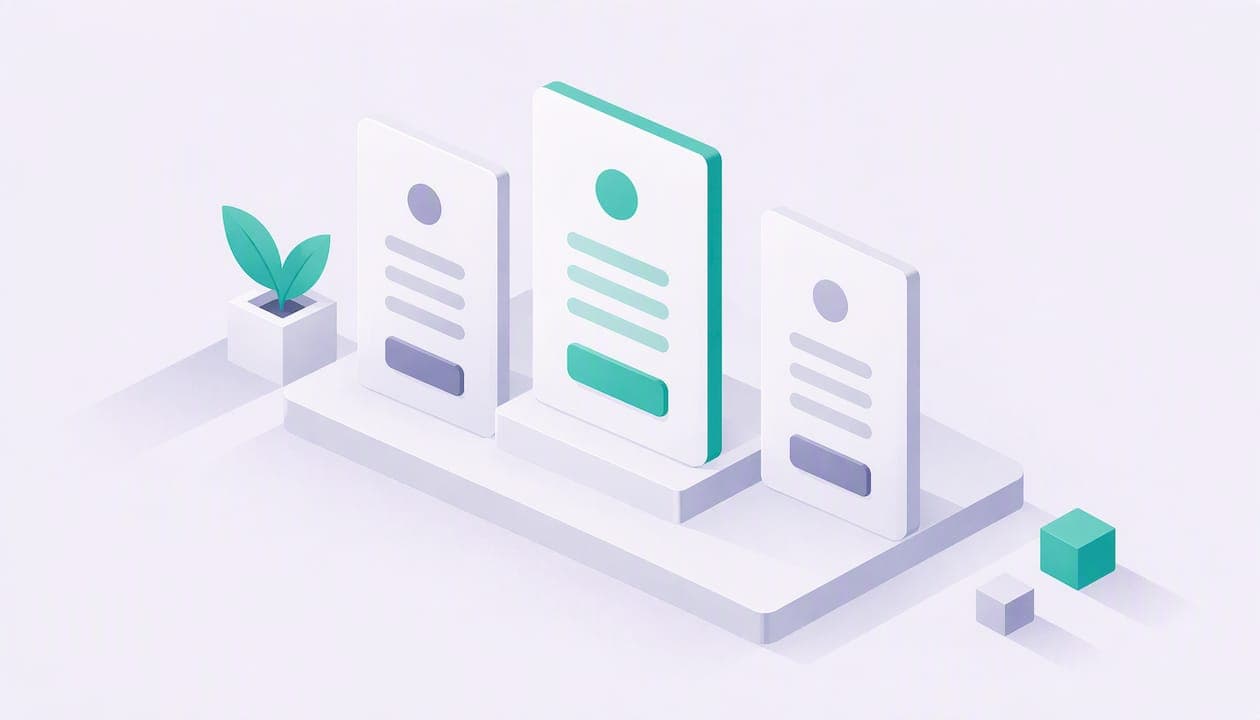
The best pricing page examples share a handful of habits: a headline that states an outcome, two or three clearly differentiated plans, one highlighted plan, a short feature list written as benefits, and an FAQ that answers real objections. This guide breaks down those patterns, shows how each one looks in practice, and then applies them to a creator or coach who sells digital products, bookings and memberships.
Most galleries show you screenshots and stop there. A screenshot tells you what a page looks like. It does not tell you why a visitor stayed, or what you should change on your own page. So we will go pattern by pattern.
TL;DR
- Use two to three plan cards, highlight the one you want most buyers to pick, and show real prices instead of "Contact us" if your deals are small.
- Write the headline about what the buyer gets, not "Simple, transparent pricing."
- Describe features as outcomes ("sell from day one"), not specs.
- Answer the five to eight objections buyers actually raise, including fees and plan changes, in an FAQ under the plans.
- If you take a cut of sales, say so plainly on the page. Hidden fees cost you more trust than a high price does.
Table of Contents
- Pricing Page Examples Worth Studying
- Pricing Page Layout: The Seven Elements
- Pricing Page Design: Headlines, Tiers and Highlighting
- SaaS Pricing Page Examples: Patterns You Can Borrow
- How to Package Services on a Pricing Page
- Pricing Page Inspiration for Creators and Coaches: A Hypothetical Example
- What to Say About Fees on Your Pricing Page
- Do You Need a Pricing Page or a Landing Page?
- A Pricing Page FAQ That Reduces Doubt
- Pricing Page Checklist Before You Publish
- Build Your Own Pricing Page With Constants
- FAQ
- Sources
Pricing Page Examples Worth Studying
Galleries are useful for volume. Better Launch decodes 20 pricing pages and lists nine patterns that recur across them, while Web Anatomy catalogs 449 real pages. Browse a few before you design anything. Notice how little variety there is at the structural level. The differences are in wording, ordering and how honest the page is about what you pay.
If you are choosing which pages to study, pick ones that sell to a buyer like yours. A self-serve plan for a solo seller has very little in common with a sales-led enterprise page. A freelancer comparing link-in-bio tools needs to see a price and a button. An IT director comparing contracts needs a quote form. Study the page whose buyer matches yours.
Three questions help you read any example:
- What does the page want me to do first?
- Which plan is it steering me toward, and how can I tell?
- What would I still be unsure about after reading it?
The third question is the one that separates good pages from decorative ones. A page that leaves you unsure about fees, cancellation or limits is losing sales at the last step.
Pricing Page Layout: The Seven Elements
According to the 2026 benchmarking summarized by Better Launch, a high-converting page follows a standard structure: a value-focused headline, two to three tier cards, a visually highlighted featured tier, a concise feature list, strategic social proof, a targeted FAQ, and a secondary call to action for people who want to talk to someone. Figma's pricing page guide describes a similar sequence that moves visitors from curiosity to conversion.
Here is what each element does for a small seller.
Headline and subhead
The headline tells the visitor what they gain. The subhead adds one concrete detail, such as who the plans are for or what you can do on the free tier. Skip the generic line about simple, transparent pricing. It uses your best real estate to say nothing, and the visitor already assumes the pricing is supposed to be simple.
Tier cards
Two to three cards is the working range. Two plans can feel like a forced either-or, and four or more tends to produce decision paralysis. A free plan plus one paid plan, as many creator tools run, is a legitimate exception when the product really has just two stages: starting out and scaling up.
Highlighted plan
Pick one card and make it visually different with a border, a badge or a contrasting button. Better Launch reports that promoting the middle tier this way measurably beats three equal, unstyled cards. If you only have two plans, highlight the one you want most paying customers to land on.
Feature list
Keep it short. Five to eight lines per card is plenty. The longer comparison table can live below the cards for people who want to check details.
Social proof
Place it near the decision, not in a separate section nobody scrolls to. If you do not yet have real customers or reviews, leave it out. A made-up testimonial does more damage than a missing one.
FAQ
Put it directly under the plans, where doubts show up. More on that below.
Secondary call to action
This is the "talk to us" option for buyers who do not fit the cards. For a solo creator product it may simply be a link to your support email.
Pricing Page Design: Headlines, Tiers and Highlighting
Design choices on a pricing page are mostly about reducing effort. The visitor arrived with a question: what will this cost me, and what do I get? Every element either answers it or gets in the way.
Better Launch also gives rough benchmarks for judging your own page: pricing page to signup or trial typically runs 5 to 15 percent, and a sub-3 percent rate points to a design or messaging problem rather than a product problem. Treat these as rough guides, not promises. A small page with a few hundred visits will swing wildly from week to week.
Write the headline as a result
Compare two headlines for a coaching tool. "Plans and pricing" tells the visitor where they are, which they already know. "Sell sessions, products and memberships from one page" tells them what the money buys. The second one earns the scroll.
Show prices in the form buyers think in
If you offer annual billing, show it as a monthly figure billed annually, rather than a yearly lump sum. Better Launch's advice is that this anchors against the monthly price people expect and makes a discount feel more concrete. Whatever you do, keep the monthly price visible so nobody has to do arithmetic.
Do not hide the number
For offers under roughly $10,000 in annual contract value, Better Launch argues that replacing prices with "Contact us" kills self-serve sales. Creators and freelancers will not book a call to learn a price. They will open another tab.
Write features as outcomes
Figma's guidance is to translate specs into what the buyer can do with them. Their example turns a storage allowance into the number of customer files you can host. For a creator tool, "1:1 bookings" is a feature name, but "let clients book a time on your calendar and pay in the same step" is an outcome. Use the feature name for recognition, then the outcome for motivation.
SaaS Pricing Page Examples: Patterns You Can Borrow
Software companies have tested these pages for years, so the patterns are worth borrowing even if you sell something smaller. Here are the ones that carry over best, without needing a big team.
Separate what is included from what is metered
When part of the price depends on usage, put it next to the plan rather than in a footnote. The reader should be able to estimate a real monthly cost in under a minute. A page that makes you assemble the total from three other pages feels like it is hiding something.
Name plans for the buyer's stage
Plan names such as Starter and Premium tell the visitor how far along they are. Names that sound like a luxury hotel chain make them guess. Where a plan is free, label it free in the card, not just in a tooltip.
Add a single line under each plan about who it is for
One sentence is enough: "For sellers getting their first sale" or "For creators running memberships and events." This does the sorting work that a long comparison table cannot.
Keep the upgrade path obvious
The free-to-paid step should read as a natural next move, not a trap. State what changes when you upgrade, and say the visitor can switch later. If you want to see how a small-business software company lays out a plan page, this AI chatbot pricing page is one more structure to compare against your own.
How to Package Services on a Pricing Page
Not every seller has software plans. Coaches and consultants often sell sessions, programs and retainers, and the pricing page has to present those as clearly as a SaaS grid does. The same rules apply: few options, one recommended, concrete outcomes. A useful walkthrough of the thinking behind this is service packaging strategy, which treats the offer structure as a design decision rather than an afterthought.
A workable pattern for a coach looks like this:
- A low-commitment entry point, such as a single paid session or a small digital product.
- A mid-priced core offer, such as a multi-session package or a monthly membership, highlighted as the recommended choice.
- A premium option for people who want more access or a done-with-you result.
If your core offer is recurring, our guide to membership pricing models covers how to set the amount, and membership benefits ideas helps you decide what goes in the feature list. Webinars and live events need their own math once fees come out, which is what webinar pricing for creators walks through.
Pricing Page Inspiration for Creators and Coaches: A Hypothetical Example
Here is a hypothetical coach, invented for illustration, selling three things: a $29 workout template pack, a $75 one-hour video consult, and a $20 monthly community membership. How would you present this on one page?
Do not build three tiers out of unlike products. A template, a consult and a membership are different purchases, not good, better and best. Instead, group by what the buyer wants:
- Start here: the template pack, priced low enough to be an easy yes.
- Work with me: the consult, with a booking calendar on the page.
- Stay with me: the membership, with a short list of what members get each month.
Each block gets a one-line promise, a price, and a single button. Highlight the membership if recurring revenue is your goal, or the consult if you want to fill your calendar first. You can add an order bump at checkout, for example offering the template pack alongside a consult. Order bump examples shows copy, pricing and placement by seller type.
Then add the fine print buyers actually care about: how to cancel the membership, how rescheduling works, and whether the template is a download or a login. Three short lines here prevent most of the emails you would otherwise answer.
What to Say About Fees on Your Pricing Page
If you sell through a platform, the platform's fee affects you before it affects your customer. Your pricing page, and the platform's own, should both be clear about it.
Take our own page as a plain example. Constants has a free Essentials plan that can sell from day one, and a Premium plan at $29.99 per month, both listed on our pricing page. On every plan, Constants charges a 6% platform fee on one-time sales (digital products, bookings and event tickets) and 10% on memberships and subscriptions. Stripe card processing is separate from the platform fee.
That last sentence matters. A seller who reads only the plan price and ignores the fee structure will misjudge their margins. So when you review any platform's pricing page, look for three numbers: the monthly plan price, the platform's cut of each sale, and the payment processor's cut. Add them up on a sale you really expect to make.
A quick worked example, using hypothetical numbers: you sell a $50 digital product. The platform fee at 6% is $3.00 before card processing. The payment processor takes its own share on top, and the rate is set by Stripe, so check their current pricing for the exact figure. Your payout is what remains. Do this math for your cheapest product and your most expensive one, since a flat per-transaction component hurts small prices more.
When you compare platforms, cite only numbers you can find on each company's own pricing page, and check the date. Fees change. Different tools fit different sellers: some are better for a pure link-in-bio page, some for a storefront-first setup. Our comparison guides on Stan Store alternatives and Beacons alternatives go through the trade-offs, including when another tool is the better fit.

Do You Need a Pricing Page or a Landing Page?
Solo sellers often ask whether they need a dedicated pricing page at all. If you have one offer, probably not. Put the price on the landing page next to the buy button. If you have several offers at different price points, or a free and paid tier, a pricing section or page earns its place.
A link-in-bio page can do both jobs. Each product, booking slot or membership card carries its own price, so the page itself becomes the pricing page. Our piece on landing page vs website for creators explains when to stay on one page and when to grow into a fuller site.
A Pricing Page FAQ That Reduces Doubt
Generic FAQs do little. Better Launch and other practitioners recommend writing yours from the objections you actually hear, such as whether people can change plans later, whether tax is included, or what happens when they go over a limit. Figma's guide makes the same point. Their claim is that answering these before the click reduces abandonment at the final step, though the exact range varies by business and you should test it on your own page.
Where do you find the real questions? Check your inbox, your DMs, and the comments under your posts. Write down every question about money for a month. The top five become your FAQ.
Pricing Page Checklist Before You Publish
Run through this list once your draft is ready:
- Does the headline say what the buyer gets?
- Are there two or three plans, with one clearly highlighted?
- Is every price a real number, in the currency your buyer uses?
- Do feature lines describe outcomes?
- Are platform and processing fees stated, not implied?
- Is there one primary button, repeated on each card?
- Does the FAQ answer your top five money questions?
- Does it load fast and read cleanly on a phone?
On the last point, most creator traffic arrives from social apps on mobile. Stacked cards that read top to bottom beat a wide comparison table on a small screen.
Build Your Own Pricing Page With Constants
If you sell digital products, 1:1 bookings, event tickets or memberships, you can put all of them on one page at constants.com/yourname, with a free plan that can sell from day one. Create your page on Constants and use the checklist above to price it. Start with two or three offers, add a clear price to each, and refine once you see which ones people click.
FAQ
How many plans should a pricing page show?
Two or three is the usual range. Three gives buyers a safe middle option, while four or more tends to slow decisions down, according to Better Launch. If your product only has a free and a paid stage, two plans is fine.
Should I list my prices publicly?
For small, self-serve purchases, yes. Hiding the number behind a contact form tends to cost you buyers who will not wait for a reply. Reserve "Contact us" for custom or high-value deals.
What is the best headline for a pricing page?
One that names the result the buyer gets. "Sell sessions, products and memberships from one page" works better than "Simple pricing," because it tells the visitor what the plans are for.
How do I show fees on my pricing page?
State them next to the plan they apply to, in plain numbers. List the platform's cut and the card processor's cut separately so buyers and sellers can work out the true cost of a sale.
Sources
- Pricing Page Examples 2026: 20 of the Best Decoded | Better Launch
- Pricing Page Best Practices + Examples | Figma
- Pricing page examples (449) | Web Anatomy