
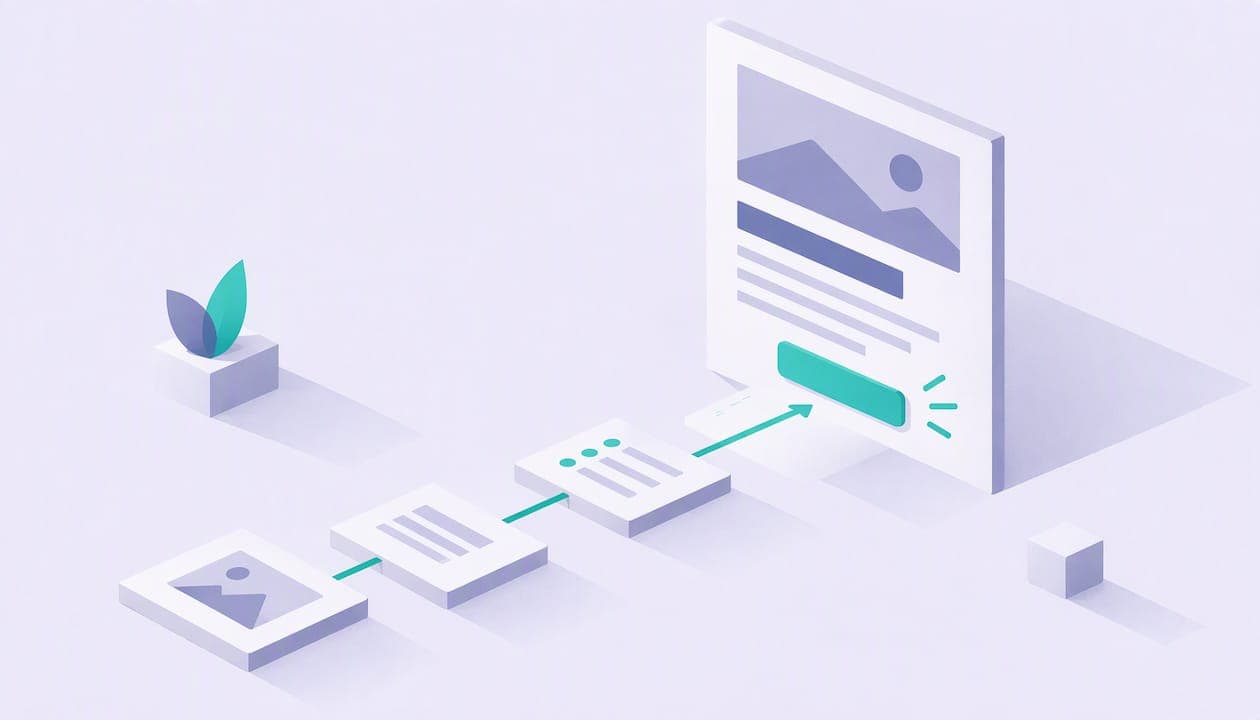
Good landing page copywriting does four things in order: it says what you offer and who it is for, shows the outcome the visitor wants, gives a reason to believe you, and asks for one clear action. If your page does those four things in plain words, you are ahead of most pages. This guide walks through each part for creators, coaches, freelancers and small sellers, with headline formulas and hypothetical examples you can adapt today.
TL;DR
- Lead with a short headline that names the outcome and the audience, then use a subheading to say what you offer, for whom and why it helps.
- Match your copy to how much the visitor already knows about you. A cold visitor needs the problem explained. A warm one needs the offer and the button.
- Put benefits first and features second, keep paragraphs short, and use three to five bullets at most.
- Pick one primary call to action, word it as the thing the visitor wants to do, and repeat it where interest peaks.
- Change one element at a time when you test, so you know what moved the result.
Table of Contents
- What is landing page copywriting?
- How to write landing page copy step by step
- Landing page headline examples and formulas
- Write for the visitor's awareness level
- Benefits first, then features
- Keep supporting copy short and scannable
- Build trust with social proof and answer objections
- Call to action copy that gets clicked
- Test your headline and copy one change at a time
- A simple landing page copy template
- Put your landing page copy to work with Constants
- FAQ
- Sources
What is landing page copywriting?
Landing page copy is the text on a page built for one job: getting a visitor to take one action. That action might be booking a call, buying a guide, joining a membership or buying a ticket. Everything on the page either helps the visitor decide or gets out of the way.
That is different from a homepage, which has to serve many readers and send them in many directions. If you are weighing the two, our piece on landing page vs website for creators explains when a single focused page is the better first step.
The copy has a heavy workload. Roast.page describes a landing page as an audition: visitors decide whether to stay or leave in about five seconds, which makes the headline the most important element. You do not have room to warm up. The first screen has to carry the whole promise.
How to write landing page copy step by step
Before you write a single line, write down three things in plain sentences: who the page is for, what they get, and what you want them to do. If you cannot say those in three sentences, the page will not say them either.
HubSpot recommends building the message around four parts: the problem, the solution, proof and the call to action. In its framing, the solution should plainly explain what you offer, how it helps and what change the reader can expect. That order works for almost any small business offer, and it gives you a skeleton to fill in.
Here is a workable sequence:
- Headline and subheading that state the outcome and the audience.
- One or two short paragraphs naming the problem in the visitor's words.
- The offer: what is included, how it works, what happens after they act.
- Three to five benefits, each backed by one concrete feature or detail.
- Proof: results, reviews, or a clear description of your method.
- Objection handling: a short FAQ or a reassurance next to the button.
- The call to action, repeated once or twice down the page.
Write a rough version of each part before you polish any of them. Most weak pages are weak because a part is missing, not because the wording is dull.
Landing page headline examples and formulas
The headline has one job: draw attention to the value you offer in one short sentence and, ideally, mention the product or the audience. That is Gartner's guidance, and it is a good filter. If your headline is clever but says nothing about the outcome or the reader, rewrite it.
Headline formulas you can adapt
Unbounce suggests simple recipes such as action words plus a product reference for the headline, and your exact offering plus a promise of ease for the subheader, in its formulas for landing page copy. For a coach selling a program, that could read: "Build a strength routine you will actually follow" as the headline, and "A 1:1 plan built around your schedule, with no guesswork" as the subheader.
Roast.page promotes an outcome-first pattern with two versions: the desired outcome without the pain point, or the desired outcome in a specific timeframe. Both put the result before the method, which is where the visitor's attention already sits.
A third pattern comes from naming the bad alternative. Demand Curve suggests identifying the poor options customers use today, stating how yours is better, and turning that into an action statement, as laid out in its guide to writing your landing page. A freelance editor might turn that into: "Stop rewriting your own newsletter. Hand it off and get it back polished."
If you sell software or a platform, the same logic applies: lead with what changes for the visitor, not what the product is. This walkthrough of outcome-first headline strategies shows how benefit-led messaging works on product pages.

Hypothetical headline examples for creators and coaches
The examples below are made up to show the formulas at work. Swap in your own audience, outcome and timeframe.
For a 1:1 booking offer: "Fix your running form in one 45-minute video session." The outcome is clear, the timeframe is specific, and the format is in the sentence.
For a digital product: "A meal-prep template for busy nurses, ready to use tonight." It names the audience and promises quick use.
For an event ticket: "Learn to price your freelance work in one live workshop." The reader knows what they will be able to do afterward.
For a membership: "Monthly group coaching for new managers, without the guesswork." It names the audience, the cadence and the pain being removed.
Notice what these headlines avoid. Roast.page warns against grandiose words such as "revolutionize" or "supercharge," which sound impressive but say nothing. Each example above can be checked by the reader: a session, a template, a workshop, a monthly group.
What a good subheading adds
The headline gets attention, and the subheading finishes the thought. Gartner recommends a subheading that explains what is offered, for whom and why it is useful, and, when it helps, bullet points describing what sets the offer apart. Write the headline for the outcome and the subheading for the specifics: format, audience, and the reason it works.
Write for the visitor's awareness level
Not every visitor arrives in the same state. Joanna Wiebe, writing for Stripe Atlas, argues that effective copy reflects the customer's awareness level instead of pushing everyone through the same message. Her guidance also covers using accessible language and moving the reader from their current state toward the one they want. It adds that you should prompt action once visitors are product-aware or most-aware.
Translate that into creator terms. A visitor who clicked from a post about your free tips knows your name but not your paid offer. They need the problem restated and the offer introduced. A visitor who arrives from a client's referral already knows what you do. They need the price, the next step and a button.
This matters because the same page often serves both. A practical approach is to put the outcome-first headline on top for everyone, then let the sections below do the explaining for newer visitors, while the button stays visible for ready ones. If you send different audiences to different pages, write each page for the audience it receives. You can read more on how to match language to a visitor's readiness in this breakdown of social proof examples that lift conversions.
A quick test for awareness: ask what the visitor already believes before they land. If they do not yet know they have the problem, start with the problem. If they know the problem and are comparing options, start with how your offer is different. If they know you and your offer, start with the next step.

Benefits first, then features
Gartner advises putting benefits before features, because benefits speak to the problems buyers face while features are the factual backing for the claim. Demand Curve makes a related point: skip the self-congratulation and focus on visitor benefits and the specific outcome of using what you offer.
Here is how that looks for a hypothetical personal trainer selling a monthly membership:
Feature: "Weekly group call and a library of workout videos."
Benefit: "Stay consistent without planning your own workouts, with a live check-in every week and a video for every session."
The feature is still there, so the claim is believable. But the sentence leads with what the member gets to feel and do. Do this for every item on your offer list. If you cannot write the benefit, the feature may not belong on the page.
Also keep your claims honest. Describe what you deliver, not what you hope will happen. "Includes a 1:1 call and a written plan" is something you control. "You will lose 20 pounds" is not.
Keep supporting copy short and scannable
Visitors scan before they read. Gartner stresses that buyers skim, so landing page copy has to be designed for quick skimming. Its readability advice is concrete: concise headlines, short opening statements, three to five bullet points for benefits, and sparing use of bold text for key takeaways.
Semrush adds plain language, short sentences and paragraphs, and headings, bullets and whitespace so visitors can understand the offer quickly. That is a good edit checklist. Read your draft out loud. Anywhere you run out of breath, split the sentence. Anywhere you reach for a long word, try the short one.
A few habits that make copy easier to scan:
- Put the point of a paragraph in its first sentence.
- Give each section a heading that says what the section delivers.
- Keep paragraphs to two or three sentences.
- Use bullets for parallel items, such as what is included, and prose for the reasoning.
- Cut any sentence that would still be true on a competitor's page.
The last habit matters most. Generic sentences are filler, and a short page full of specifics beats a long page full of them.
Build trust with social proof and answer objections
A visitor who believes your promise still has to believe you. Proof can take many forms: a client's written review, a before-and-after description of a result you delivered, the number of sessions you have run, your certifications, or a clear account of your method. Use only what is true and that you can back up. If you are just starting, a plain description of how you work and what the buyer gets is better than invented testimonials.
Objections need an answer near the point of action. HubSpot recommends addressing hesitation with a quick reassurance near the button, such as "No credit card required," or a short FAQ. For a coach, the common worries are predictable, and you can answer them in a line each:
- What if I cannot make the session time? Say how rescheduling works.
- What if I am a beginner? Say who the program is for, and who it is not for.
- What happens after I pay? Say what arrives, and when.
- How long does it last? State the length or the billing cycle.
Only promise what your terms actually say. If you offer a refund or reschedule policy, state it exactly as it is written.
Call to action copy that gets clicked
The button is where all the copy pays off. Semrush says a good call to action accurately conveys the offer, uses action-oriented language, reminds visitors of the benefit and speaks directly to the user, with examples like "Book a Demo" and "Try It for Free". Roast.page offers a handy test: finish the sentence "I want to..." with your button text. "I want to... start my free trial" leads to "Start Free Trial."
For creators, that gives you buttons such as "Book my session," "Get the template," "Reserve my seat" or "Join the membership." Each one names the thing the visitor gets, not a vague "Submit" or "Learn more."
One goal per page
Unbounce explains that a single landing page should have one clear goal reflected in its call to action, which prevents the confusion of competing priorities. Shopify makes a similar recommendation: choose one primary call to action with a measurable outcome, use clear and specific language, and place it above the fold to avoid choice overload.
If you sell several things, that does not mean you can only list one. It means the page should have a clear lead offer, with the others presented as secondary. A coach might lead with a free intro call and show a membership further down, or the reverse. Decide which, and let the headline and the main button agree.
Where to place the button
The Stripe Atlas example shows how a clear page can still underperform when the button is buried beneath integrations, process details and team information. The advice: put the action where interest peaks and repeat it when it makes sense. On a short page, that is above the fold and again after the proof. On a longer page, add one after the offer details.
Test your headline and copy one change at a time
No one can promise that a given headline will convert better. You find out by testing. The method from Semrush is simple: change one element at a time, such as the headline, the social proof or the button, and compare how each version performs. If you change three things at once, you will not know which one mattered.
For a small seller with modest traffic, a few practical rules help:
- Test the biggest element first, which is usually the headline.
- Let each version run long enough to collect a meaningful number of visits before you decide.
- Write down what you changed and when, so you can read the results later.
- Keep the winner and move to the next element.
You need a way to see what visitors do. Our guide to landing page analytics for creators covers a quick check you can run in GA4, and the conversion rate benchmarks for creators article gives you context for reading your own numbers. If visitors click your button but do not finish buying, the problem has moved from copy to the purchase step, and the checkout optimization priorities piece can help.
A simple landing page copy template
Here is a fill-in-the-blanks structure built from the guidance above. Every line is hypothetical until you add your own details.
Headline: [Outcome] for [audience], [in timeframe or without pain point].
Subheading: [Exact offer] that [promise of ease], so you can [next step].
Problem: Two sentences describing what the visitor is dealing with now, in their words.
Offer: What you get, how it works, and what happens after you act.
Benefits: Three to five bullets, each leading with the result.
Proof: A result you delivered, a review you have permission to use, or a plain description of your process.
Reassurance: One line that removes a worry, followed by the button.
Button: A phrase that completes "I want to..."
FAQ: Three or four short answers to the questions you hear most.
For a freelance designer selling brand packages, that might become: "A brand identity for your small business, delivered in three weeks." Then: "Logo, color palette and type guide, built with two rounds of revisions." Then a button: "Book my brand call." It is plain, specific and easy to check.
Put your landing page copy to work with Constants
Once the copy is written, you need a page to put it on. Constants gives you one page at constants.com/yourname that combines a link-in-bio landing page with a shop for digital products, calendar-based 1:1 bookings, event tickets and recurring memberships. That means the headline you just wrote can sit above a button that actually books a session or sells a product, without stitching together separate tools.

The free Starter plan can sell from day one, and Premium is $29.99 a month. Constants charges a platform fee of 6% on one-time sales, including digital products, bookings and event tickets, and 10% on memberships, on every plan. Stripe card processing is separate. You can see the details on the pricing page. If you want ideas for structuring a single-page offer, our one-page website examples and the guide to selling digital products from your bio link show how small sellers lay theirs out.
FAQ
How long should landing page copy be?
As long as it takes to answer the visitor's questions, and no longer. A simple, low-cost offer like a template often needs only a headline, a few benefits and a button. A higher-priced coaching package usually needs more explanation and proof. Use headings and short paragraphs so a visitor can find the part they need quickly.
What makes a good landing page headline?
It states the value in one short sentence and mentions the product or the audience. It should be specific enough that the right visitor recognizes themselves, and free of empty words like "revolutionary." Try an outcome-first formula, such as the result plus a timeframe, and check that each claim is something you can deliver.
Should I use more than one call to action?
Use one primary action per page. You can repeat the same button at several points, but avoid offering competing choices at the same level. If you have several offers, make one the lead and present the rest as secondary links further down.
How do I know if my copy is working?
Track how many visitors take your main action, then change one element at a time and compare. Start with the headline, then the proof, then the button text. Keep a note of each change so you can tell what moved the numbers.
Sources
- Writing copy for landing pages, Stripe Atlas
- How to create a landing page with high ROI, HubSpot
- How to write your landing page, Demand Curve
- 8 Key Copywriting Tips for High-Converting Landing Pages, Gartner
- The Unbounce Guide to Landing Page Copywriting
- Simple Recipes for No-Fail Landing Page Copy, Unbounce
- Landing Page Copywriting: Headlines and CTAs, Roast.page
- 7 Landing Page Copywriting Tips to Drive More Conversions, Semrush
- How To Write Landing Page Copy: 7 Tips, Shopify
- Optimizing Landing Pages: Proven Strategies for 2025
- 15 Social Proof Examples That Actually Lift Conversions